Tailored technology solutions for events, tradeshows, experiential marketing, and more—designed for smooth execution and backed by expert support team.
Tailored technology solutions for events, tradeshows, experiential marketing, and more—designed for smooth execution and backed by expert support team.
The first impression your event makes happens before anyone finds their seat. It happens at the door. A slow check-in line sets a frustrated tone before your program even begins, while a fast, organized entry process signals to attendees that the rest of the event will run just as smoothly.
If you have ever watched a line snake through a hotel lobby or out onto the sidewalk while your opening session is about to start, you know how much event check-in logistics matter. The good news is that issues with the slow event check-in process are almost always solvable.
Why Event Check-In Gets Slow
Before you can fix the problem, it helps to understand where the bottleneck usually comes from.
Most slow event attendee check-ins come down to one of three things: not enough stations for the number of attendees, staff who are not fully trained on the event check-in process before doors open, or technology that is not set up and tested in advance. Sometimes it is all three at once.
Manual check-in processes, such as paper lists or spreadsheets, create delays because staff must search long lists to find each guest. Even a few extra seconds per person add up fast when you have hundreds of people arriving in the same 20-minute window.
The fix is not always more staff. Often, it is smarter tools and a better setup.
Start With the Right Technology
The single biggest upgrade most events can make is switching from manual lookup to QR code or digital check-in. When an attendee walks up with a QR code on their phone, a staff member with an iPad or tablet can scan and confirm in seconds.
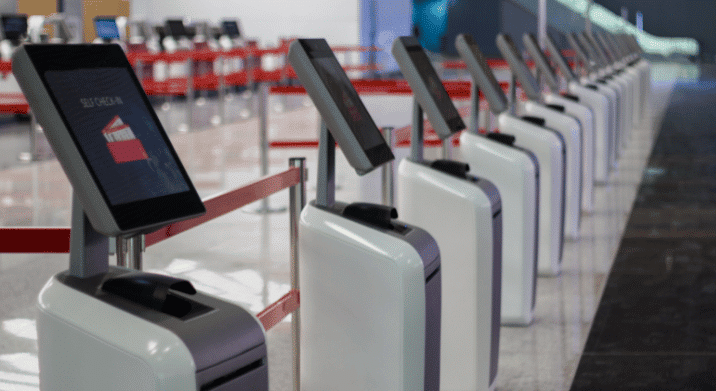
iPads are one of the most practical tools for event attendee check-in because they are portable, easy for staff to use, and can run most event management and registration apps. They also work well as fixed kiosks for self-check-in stations, which can take even more pressure off your staff during peak arrival windows.
How to Check In Hundreds of Guests Quickly at an Event
A common mistake is underestimating how many event check-in stations you need. A rough starting point is one station for every 50 to 75 guests expected during your peak arrival window, not your total headcount. If most of your attendees tend to arrive in the 30 minutes before your event starts, that is the window you need to plan around.
For a conference check-in expecting 300 attendees with most arriving in a 30-minute window, that could mean four to six stations running simultaneously. If you only have two, you will have a line regardless of how fast each individual check-in is.
More stations also give you a buffer if a device has an issue or a staff member needs a break. Redundancy matters when you are operating in real time with no room to pause.
What Reliable Connectivity Looks Like in Practice
One thing that does not get enough attention in event check-in planning is the internet connection powering your check-in system. If your registration app goes down because the venue WiFi buckles under the load, it does not matter how many iPads you have at the door.
When the LA Superior Court needed reliable connectivity for a critical meeting at the Wallis Annenberg Building in Los Angeles, they turned to eTech Rentals. eTech deployed a bonded internet solution that combined bandwidth from three cellular carriers, providing both redundancy and strong performance for up to 100 simultaneous users. The entire setup was handled remotely by eTech’s technical team, with no on-site personnel required during the event itself. The meeting ran without a single reported disruption.
The same principle applies to event guest management at check-in. A dedicated internet connection, sized for your actual usage, keeps your check-in system running when it needs to most.
Beyond technology and staffing ratios, a few operational details make a real difference in event line management.
Use alphabetical or category-based line segmentation. Splitting your check-in line by last name, ticket type, or registration category helps distribute the crowd and prevents everyone from crowding at the same station. This is one of the most effective event line management techniques for busy arrivals.
Send reminder emails with QR codes or confirmation details before the event. The more prepared your attendees are when they walk up, the faster each interaction goes. An attendee who has their confirmation ready on their phone takes a fraction of the time compared to someone searching through their inbox at the counter.
Have a dedicated lane for VIPs, speakers, or exhibitors. Mixing all guest types into a single line slows everyone down. A separate fast-track option for priority guests keeps things moving and reduces friction for your most important attendees.
Position a staff member at the front of the line to help guests get ready before they reach the station. This person can prompt attendees to have their QR code or ID ready, answer quick questions, and direct people to the right station. It sounds simple, but it speeds up event guest management during peak arrival.
Need Event Check-in Tech?
Fast event check-in comes down to preparation: the right number of stations, technology your staff can use confidently, and an internet connection that holds up under peak arrival traffic. Get those three pieces in place, and the line at the door takes care of itself.
Need event check-in equipment for your next event? eTech Rentals delivers pre-configured iPads, tablets, and internet solutions nationwide. Reach out to get a quote.
☎️
Need Help Fast?
Talk with an eTech Rentals specialist about your rental needs. 877-738-3246
What is the fastest way to check in guests at an event?
QR code scanning on tablets or iPads is one of the fastest methods available for faster event entry. When devices are preloaded with your registration app and guests arrive with their confirmations ready, check-in can take just a few seconds per person. Having enough stations to handle your peak arrival volume is equally important.
How do you reduce long lines at event check-in?
Long check-in lines at events are usually a combination of too few stations, slower technology, and poor line management. Segmenting lines by last name or ticket type, deploying self-check-in kiosks, and stationing a staff member at the front of the queue to prep guests before they reach the counter all help reduce event check-in wait times.
Where can I rent event check-in equipment?
At minimum, you need tablets or iPads loaded with your registration or event management app, a reliable internet connection, and enough devices to cover your peak arrival window. For larger events, dedicated internet from a provider like eTech Rentals ensures your check-in system stays online when it needs to most. eTech Rentals delivers pre-configured iPads and internet solutions nationwide.
Is a QR code or RFID check-in faster for large events?
Both are significantly faster than manual check-in. QR codes are more common because they are easier to implement and work with most event apps. RFID can be faster in high-volume environments but requires more infrastructure and upfront setup. For most conference check-ins and corporate events, QR code check-in on iPads or tablets hits the right balance of speed and simplicity.