Tailored technology solutions for events, tradeshows, experiential marketing, and more—designed for smooth execution and backed by expert support team.
Tailored technology solutions for events, tradeshows, experiential marketing, and more—designed for smooth execution and backed by expert support team.
Hotspot vs. Router: What’s Better for Your Business?
November 4, 2026
When your business or event needs internet somewhere it isn’t already wired in, two options come up fast: a mobile hotspot or a router. They sound interchangeable, but they solve different problems, and picking the wrong one means either paying for capacity you don’t need or watching your connection buckle when it matters. This guide breaks down the hotspot vs. router debate so you can match the right tool to the job.
The Short Version
When comparing router vs. hotspot, the easiest way to think about it is scale and purpose. A hotspot is a small, portable device that pulls in a cellular signal and shares it with a limited number of nearby devices. A router manages a network, distributing internet to many devices at once and, in the case of modern cellular routers, often pulling in that internet over 5G or a wired line while delivering far more capacity and control.
One is a portable option for smaller groups and spaces. The other provides greater capacity and control for more demanding connectivity needs. What you need depends on how many devices you’re connecting, how hard they’re using the connection, and how much reliability you can’t live without.
Choose a hotspot when: you need portable connectivity for a trade show booth, small meeting, roaming staff, or a limited number of devices.
Choose a router when: you need greater device capacity, stronger coverage, wired connections, or more network management options.
Consider bonded internet when: connectivity is mission-critical and you need multiple connections for added bandwidth and redundancy.
Learn more about how to get WiFi for an event and determine the right setup for your needs. Wondering whether you need a hotspot, router, or bonded internet solution? Tell us about your event, and we’ll help you find the right fit.
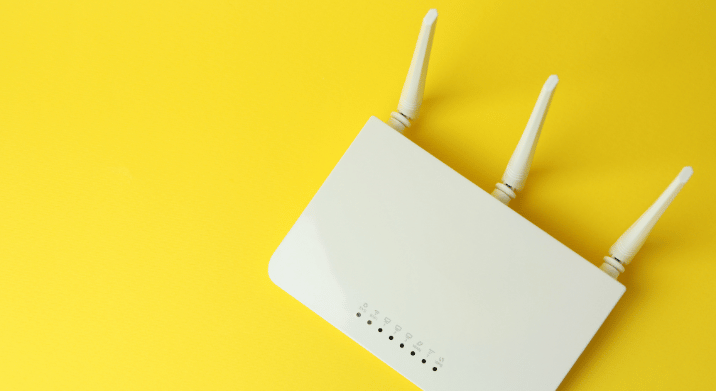
A mobile hotspot is pocket-sized and simple. It connects to a cellular network, 5G or 4G LTE, and broadcasts a small WiFi network for the devices around it. Power it on, connect, and you’re online right away.
Hotspots shine when the job is small and mobile. A staffer roaming a trade show floor, a trade show booth, a small breakout room, a pop-up that needs to process a few transactions—these are all textbook hotspot situations. In the 5G router vs. mobile hotspot comparison, the hotspot wins on portability, setup speed, and cost for light use.
The trade-off is capacity. Most hotspots comfortably support a limited number of devices, and performance drops as you pile more on. Push a hotspot past what it’s built for- streaming, heavy uploads, dozens of simultaneous users- and performance can suffer. It’s the right tool for smaller, defined connectivity needs rather than large or high-density networks.
What a Router Does
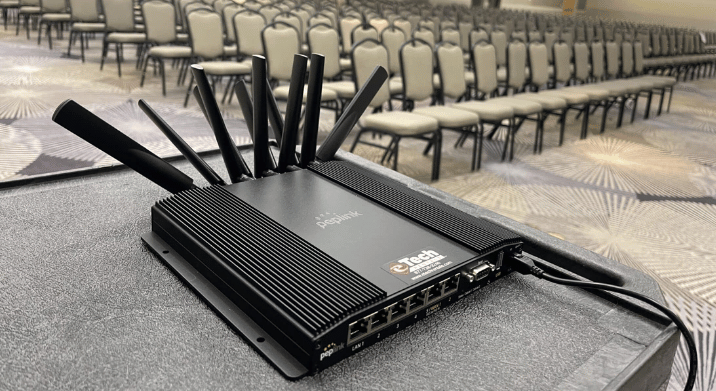
A router is built to manage a network rather than just share a signal. It distributes the internet to many devices at once, handles heavier traffic, and gives you more control over how that traffic is managed. Modern cellular routers can pull internet in over 5G or a wired connection and often support wired ports, stronger antennas, and features like automatic failover between connections.
When you need to connect more devices, keep POS systems and registration online, or support bandwidth-heavy activities like livestreaming, a router can provide the additional capacity and network control you need. Depending on the model, eTech’s router options can support dozens to hundreds of connected devices.
The trade-off is that routers are a bigger setup. They cost more, and they may need positioning and configuration. However, the power is worth it when the job calls for it.
Not sure how much capacity your setup requires? Learn how to calculate bandwidth for your event based on your expected devices and internet usage. You can also speak to our team to discuss your needs live with an expert.
☎️
Need Help Fast?
Talk with an eTech Rentals specialist about your rental needs. 877-738-3246
The core hotspot vs. router differences come down to a few factors:
Portability and Setup: Hotspots win here since they’re instant and pocketable. Routers take more planning but deliver more in return.
Device Capacity: Hotspots handle a moderate group of devices. Routers scale to many more, from dozens to hundreds depending on the model.
Coverage: A hotspot covers a small radius—one booth, one room. A router, especially with access points, covers far more ground.
Reliability Under Load: Hotspots slow as they fill up. Routers are designed to support more devices and heavier network traffic.
Control and Features: Routers offer network management, wired ports, and failover options. Hotspots keep it simple with fewer settings.
Hotspot vs. Router for Business and Events
So how does this play out in real scenarios? The hotspot vs. router for business decision usually sorts itself out once you’re honest about scale.
Reach for a hotspot when the need is small and mobile: equipping roaming staff, powering a single booth, running a compact pop-up, adding a backup connection, or getting a temporary office online for a few people fast. It’s portable, easy to deploy, and well-suited to smaller connectivity needs.
Reach for a router, or a bonded solution, when the stakes and the numbers go up: a busy trade show booth with multiple stations, a conference with hundreds of attendees, a hospitality suite running check-in and streaming at once, or any event where reliable connectivity is critical to operations. When many devices need to stay online reliably, a router provides the additional capacity and stability the setup requires.
For the toughest cases, another option is worth knowing about: bonded internet. Bonded solutions combine several cellular connections into one network, delivering router-grade capacity with built-in redundancy. If one carrier falters, the others keep you online. This can provide greater reliability than relying on a single cellular connection.
How eTech Rentals Helps You Choose
The right answer to hotspot vs. router isn’t universal; it depends on your event, device count, bandwidth needs, and reliability requirements. That’s where we come in. eTech Rentals carries the full range: 5G hotspots for small, mobile needs, cellular routers and bonded WiFi kits for higher-capacity jobs, and enterprise arrays for large, high-density events. Because we offer multiple connectivity options, our team can help size the solution around your actual device count, bandwidth needs, and event setup.
Every rental ships preconfigured and tested, with same-day delivery across Southern California and next-day shipping nationwide, plus remote support and optional on-site technicians. With over 100 years of combined experience, we’ve matched the right connectivity to just about every kind of event, and we’ll do the same for yours.
Should I rent a hotspot or a router for my business or event?
It depends on scale. Choose a hotspot for small, mobile needs: roaming staff, a single booth, a compact pop-up, or a backup connection. Choose a router or bonded solution when you need to connect many devices reliably, keep POS and registration online, or support bandwidth-heavy work. If you’re unsure, tell us your device count and what they’ll be doing, and we’ll recommend the right fit.
How many devices can connect to a rented hotspot or router?
Device capacity depends on the model. eTech’s current 5G hotspots support up to 30–32 devices, while router options range from about 60 devices to 300+ for higher-capacity models. Bonded solutions can also support larger deployments.
Can hotspots and routers be used together for business internet?
Yes. Hotspots and routers can serve different roles within the same event setup. For example, a router can support the primary network while hotspots provide connectivity for roaming staff, separate areas, or backup needs.
Does event size determine whether I should rent a hotspot or a router?
Event size is a major factor, but device count and usage matter just as much. A smaller event with heavy streaming may need a router, while some larger events with lighter connectivity needs may use multiple hotspots. The right setup depends on device count, bandwidth use, venue layout, and how important redundancy is.